

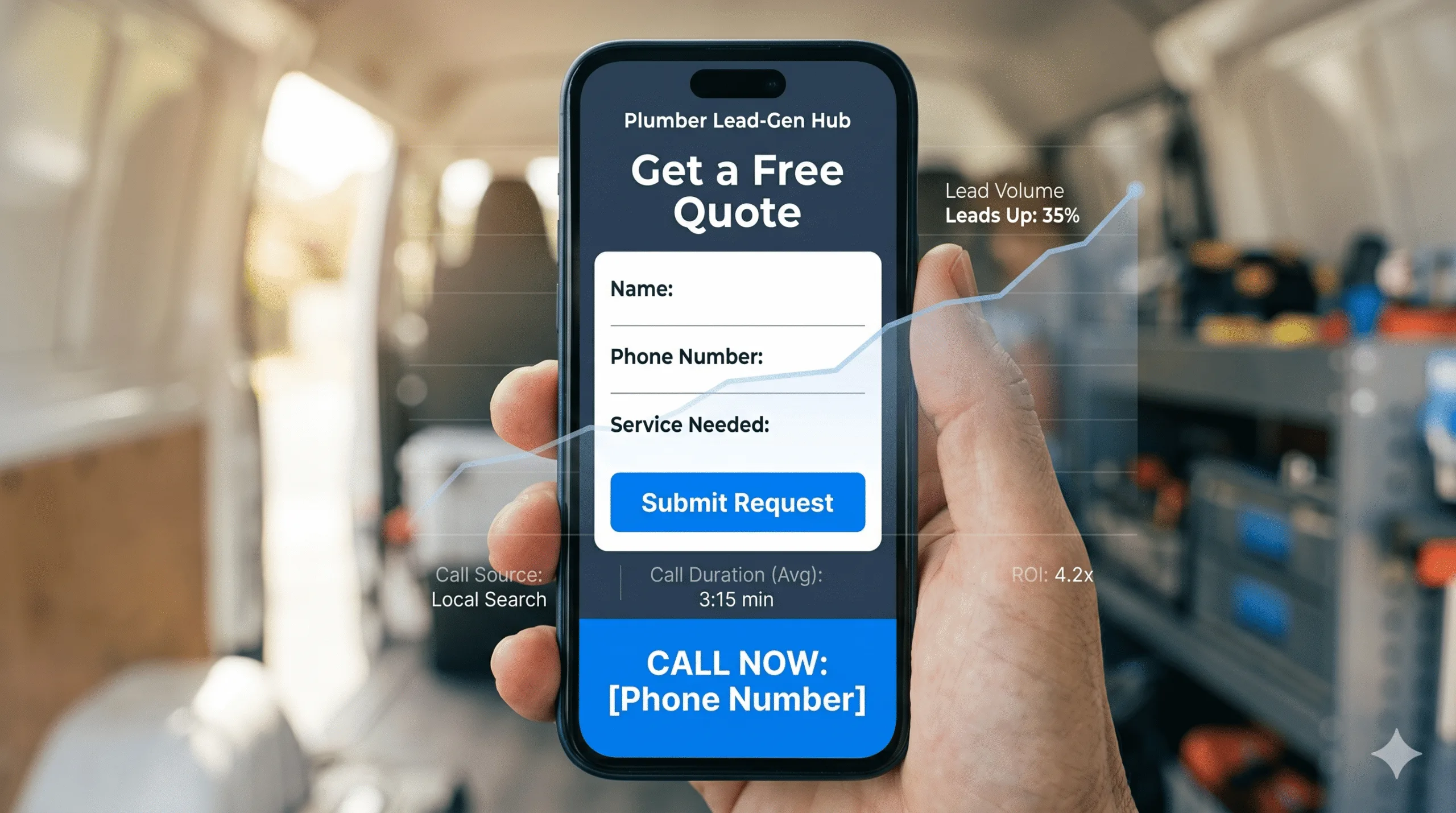
Most plumbers are sold a website on how it looks. They get a slick design, a few stock photos of pipes, and a contact page – and then wonder why the phone stays quiet. The truth competitors won’t tell you: looks and leads are different jobs. The best websites for plumber leads are engineered backwards from a single outcome – a booked job – and every element either moves the visitor toward calling or it’s cut.
The stakes are simple. A site that looks great but converts poorly is a recurring cost with no return, while your competitors quietly capture the customers you both paid Google to reach. This guide shows you exactly which elements turn a plumber website into a measurable lead machine – and how to prove it’s working.
No theory. Just the conversion mechanics and the tracking that proves them.
Quick answer: The best websites for plumber leads are built around conversion, not decoration. The essential elements are a sticky tap-to-call button on every page, a short quote form above the fold, sub-three-second mobile load speed, suburb service pages that feed the Google Map Pack, live reviews for trust, and full call-and-form tracking to prove ROI. Because over half of mobile visitors abandon a slow site and most plumbing jobs convert by phone, removing friction between the searcher and the call is what generates leads – and tracking is what proves which pages produce booked jobs.
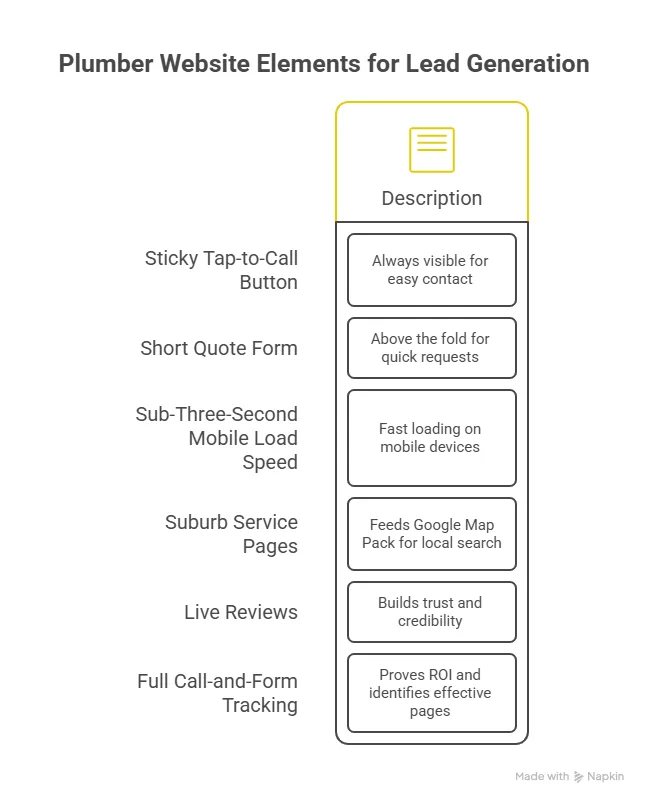
The 6 Elements That Turn a Plumber Website into a Lead Machine
A lead-generating plumber website isn’t one big feature – it’s six small ones working together. Miss any of them and leads leak out.
| Element | What It Does | Lead Impact |
|---|---|---|
| Sticky tap-to-call button | Keeps the phone one tap away on every screen | Highest – most jobs convert by call |
| Above-the-fold quote form | Captures after-hours and form-preferring leads | High – recovers leads who won’t call |
| Sub-3s mobile load | Stops visitors bouncing before the site loads | High – 53% abandon slow sites |
| Suburb service pages | Wins Map Pack visibility for local searches | High – drives the traffic in the first place |
| Live reviews + trust signals | Converts comparison shoppers | Medium-high |
| Call & form tracking | Proves which pages and channels produce jobs | Critical for measuring ROI |
Mechanic 1: Remove Every Second of Friction Between Searcher and Call
Plumbing is an urgency business. The customer searching at 9pm with water spreading across the floor isn’t comparing your portfolio – they’re calling whoever is easiest to reach first.
The Sticky Tap-to-Call Button
A tel:-linked call button pinned to the screen on every page is the single biggest lead-generation upgrade most plumber sites can make. The customer never has to scroll, hunt, or think. If your number lives only in the header or as an un-tappable image, you’re leaking calls every day.
Speed as a Conversion Feature
Over half of mobile visitors leave a site that takes longer than three seconds to load. On mobile data, a heavy hero video or uncompressed images can blow past that easily. Treat load time as a lead-gen metric: compress images to WebP, lazy-load below-the-fold content, and kill autoplay video on mobile.
The Above-the-Fold Quote Form
Not everyone calls – especially after hours. A short form (name, suburb, problem, optional photo) in the first screen captures the lead a phone-only site would lose. Keep it to four fields; every extra field cuts completion.
Mechanic 2: Get Found by the Customers Who Are Ready to Book
The best-converting website in the world generates nothing if no one local reaches it. Lead generation starts with local visibility.
Suburb Service Pages Feed the Map Pack
A dedicated page for each core service and suburb – “Blocked Drains [Suburb]”, “Hot Water Repairs [Suburb]” – tells Google exactly where you operate and what you do. This is what lifts you into the Google Map Pack, where the majority of local plumbing searches convert.
Connect the Site to Your Google Business Profile
Your website and Google Business Profile should reinforce each other: matching name, address and phone, linked service pages, and embedded reviews. A site that ignores your GBP wastes the strongest local-ranking asset you have.
- Match your NAP (name, address, phone) exactly across site and profile
- Link each service page to the relevant GBP service
- Embed live Google reviews so fresh ratings show on both
Trust Signals Close the Comparison Shopper
Most customers check two or three plumbers before calling. Live 5-star Google reviews, trade credentials (ARC licence, Master Plumbers Association), and a clear service area near the top of the page are what tip the undecided visitor into dialling your number instead of the next tab’s.
Mechanic 3: Prove It - The Tracking Most Plumber Websites Skip
Here’s the structural shift for 2026: a plumber website isn’t a brochure you build once and forget. It’s a lead channel you measure. Without tracking, you’re guessing – and you can’t improve what you can’t see.
Track Every Call and Form
Call tracking attributes each phone call to the page and source that produced it. Form tracking does the same for submissions. Together they answer the only question that matters: which pages and channels actually book jobs, and what does each lead cost?
Move from Clicks to Cost-Per-Booked-Job
Impressions and clicks don’t pay wages. The metric that does is cost-per-booked-job. Once you track calls and forms, you can do the maths that turns marketing from a gamble into a system:
| Channel | Monthly Cost | Booked Jobs | Cost Per Booked Job |
|---|---|---|---|
| Local SEO + website | Fixed/low | Compounds over time | Falls month on month |
| Google Ads | Variable | Immediate | Steady, controllable |
| Per-lead platform | Per enquiry | Shared with rivals | Stays high – you pay every time |
The implication is clear: a tracked website plus local SEO produces leads at a falling cost per job, while per-lead platforms keep charging the same forever. That’s the case for owning your lead channel instead of renting it.
How to Build (or Fix) Your Lead-Generating Plumber Website
If you’re starting from a site that looks fine but doesn’t convert, work in this order:
- Add a sticky tap-to-call button and make your number a real
tel:link on every page. - Get mobile load time under three seconds – compress images, drop autoplay video.
- Add a four-field quote form above the fold and live Google reviews near the top.
- Build suburb service pages and connect them to your Google Business Profile.
- Turn on call and form tracking so you can measure cost-per-booked-job from week one.
You can retrofit most of these onto an existing site, but if yours is slow or built on a rigid template, a purpose-built rebuild is usually faster and cheaper than fighting it. Webco’s plumber website design bakes all six mechanics in from the start – and we’ll audit your current site’s lead leaks for free before you commit to anything.
Frequently Asked Questions
What makes the best websites for plumber leads?
The best websites for plumber leads are built around conversion, not decoration. They combine a sticky tap-to-call button, a short above-the-fold quote form, sub-three-second mobile load speed, suburb service pages that feed the Map Pack, live reviews for trust, and call-and-form tracking to prove ROI. Because most plumbing jobs convert by phone in an urgent moment, removing friction between the searcher and the call generates the most leads.
How do I get more leads from my plumbing website?
Start by removing friction: add a sticky tap-to-call button, cut mobile load time under three seconds, and put a four-field quote form in the first screen. Then improve visibility with suburb service pages connected to your Google Business Profile, and add live reviews to convert comparison shoppers. Finally, turn on call and form tracking so you can see which pages produce booked jobs and double down on them.
How much does a lead-generating plumber website cost?
A conversion-focused plumber website in Australia typically costs between AUD $2,000 and $6,000+, depending on the number of services, suburb pages and integrations. The better measure is cost-per-booked-job over the site’s life: a one-time build that books dozens of jobs a year costs a fraction per lead of a per-lead platform that charges on every single enquiry, indefinitely.
Is a website better than hipages for plumber leads?
For long-term lead generation, yes. Platforms like hipages and Airtasker charge per lead and resell the same enquiry to competing plumbers, so your cost stays high and you never own the customer. Your own tracked website turns one build cost into an asset that generates leads at a falling cost per job – and the customer relationship is yours, not the platform’s.
How do I know if my plumber website is actually generating leads?
You need call and form tracking. Call tracking attributes each phone call to the page and source that drove it; form tracking does the same for submissions. With both in place you can measure cost-per-booked-job by channel and page. If your site has no tracking, you’re guessing – and most plumber sites that “feel” like they’re working are leaking far more leads than the owner realises.